
Hi. It recently came to my attention that the schedule on the website might be “hard to use.” So, here I am with a step by step guide on how to figure out which course you should actually be at. It’s not that hard, but somehow it still is, so I’ve included visuals for those who don’t want to read all of this.
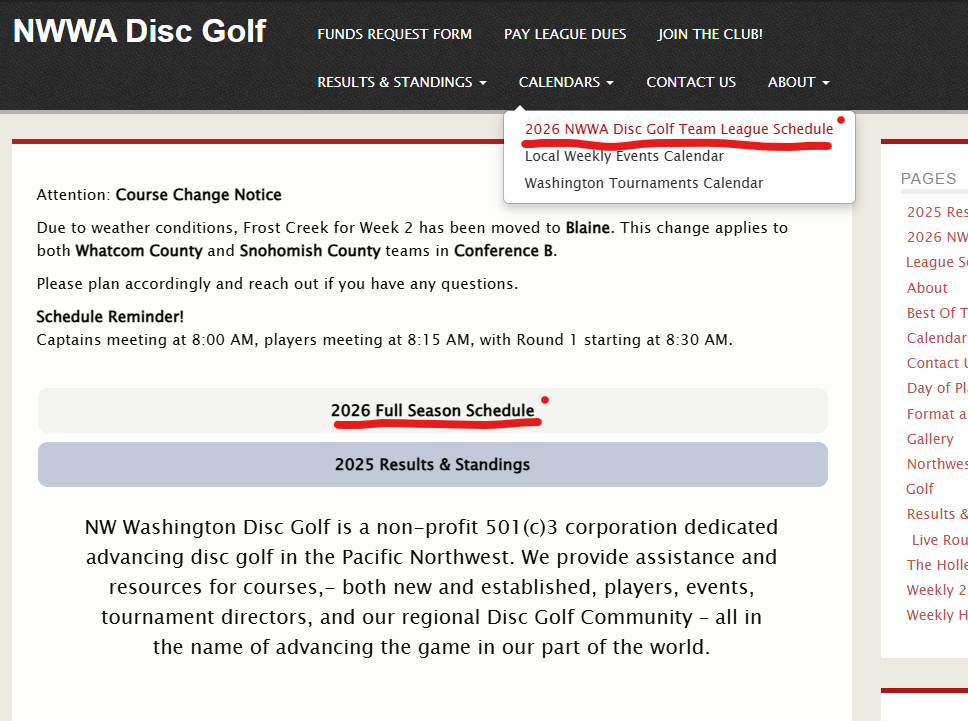
Step 1: Hover over the Calendars button in the navigation menu, then click on 2026 NWWA Team Disc Golf League Schedule. Alternatively, you can click the button on the Leagues home page.
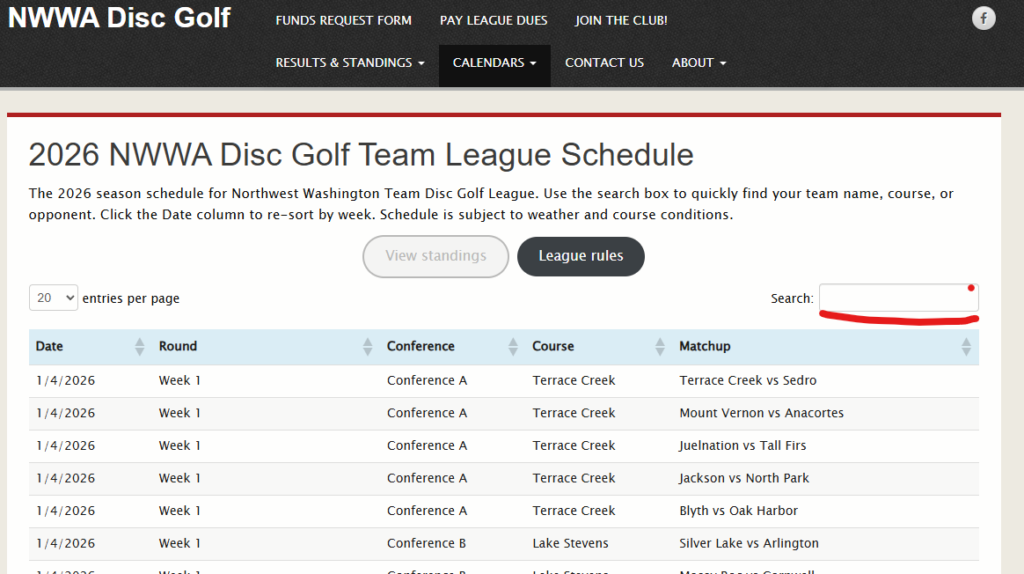
Step 2: To find your team’s schedule, locate the search bar on the right side above the table and type in your team name. From here, the table will only display your team’s matchups (as well as matchups happening at your home course).
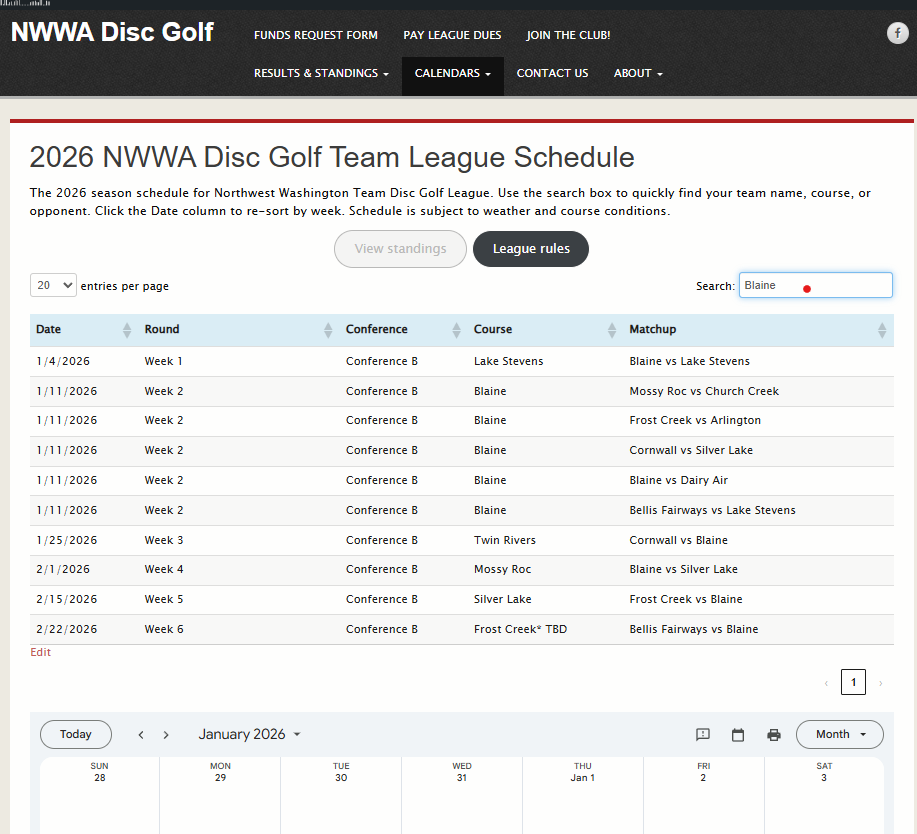
Congratulations! You found the schedule. This is what the page will look like once you enter your team’s name. You can now see important information such as the date, round by week number, your conference, the important one: course location (notice Blaine is hosting Week 2), and of course, the matchup.
Step 3 (Optional): Scroll a bit further down to view the Monthly Calendar. Feel free to add this to your personal Google Calendar or reference it as needed. If you want to add it to your calendar, click the blue hyperlink in the bottom left corner.
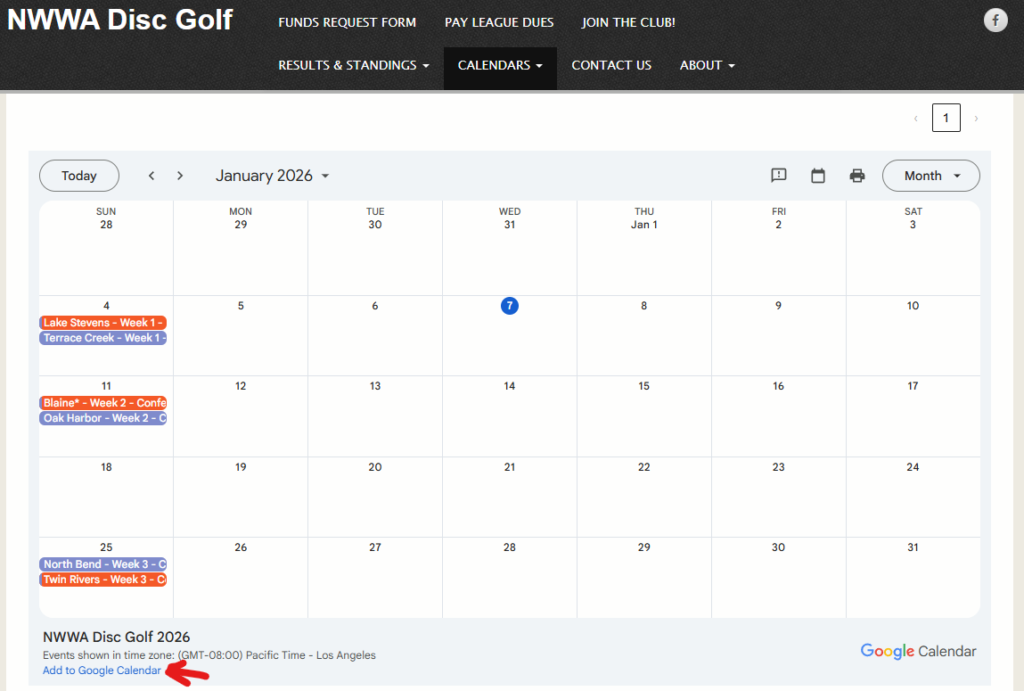
Hopefully this helps everyone navigate their way to the correct course in the coming weeks. Feel free to add this to your Google account or share it with your SO so they know which Sundays are already spoken for during these busy winter weekends. Looking forward to tossing with y’all soon!